Features · Reports
Twelve reports. The headline figures drill in.
Twelve reports across money, equipment and crew, built from what is already in the workspace. Nothing is typed in just for reporting.
kitslate.app/app · reports
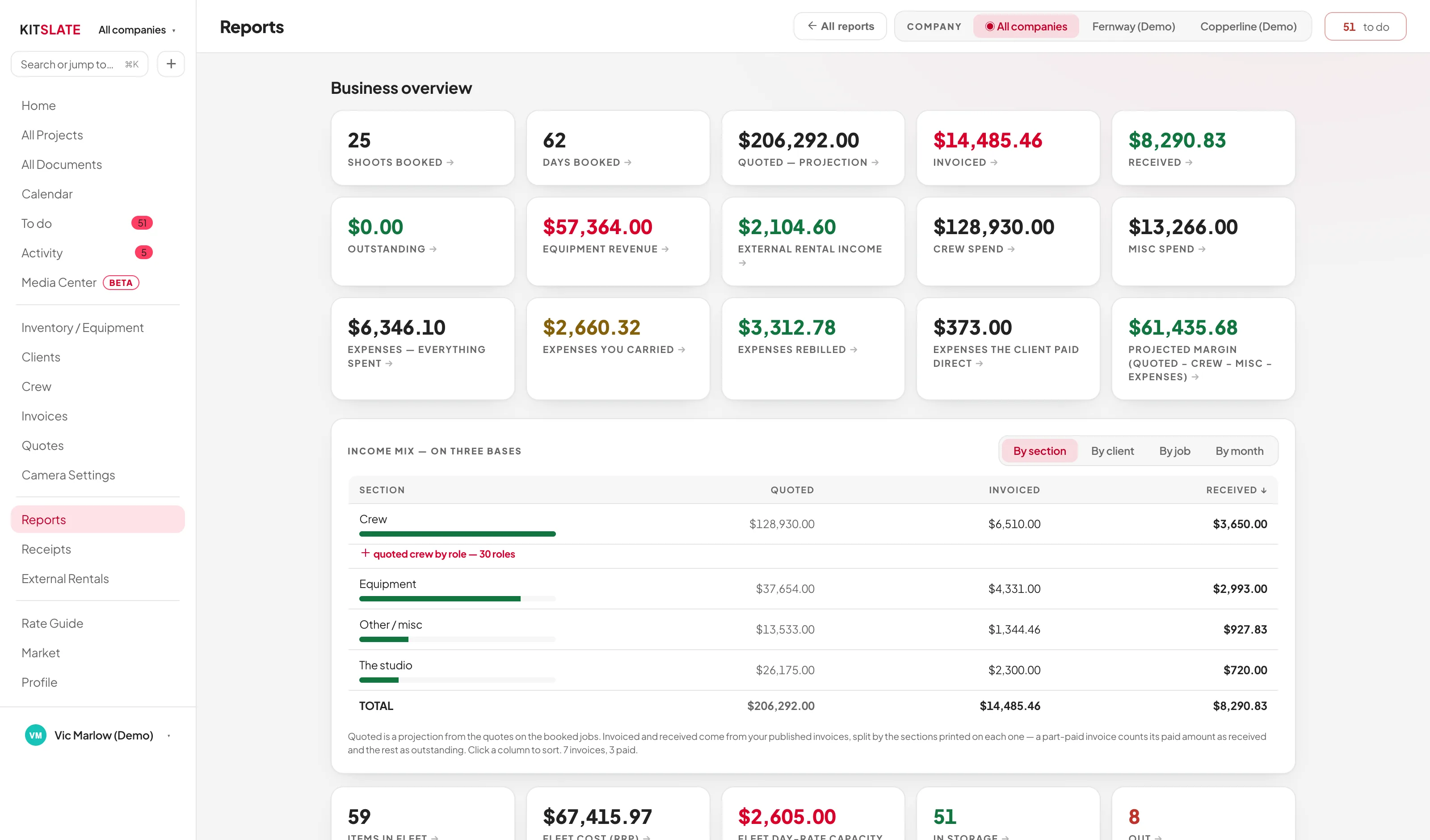
The company filter at the top applies to all of them.
01 · MONEY — booked, invoiced, received
Where the money came from.
Income, expenses, profit by job, outstanding invoices and client revenue. INCOME MIX splits it quoted, invoiced and received.
Cleared, not just billedIncome minus crew, misc and expenses. Rebilled spend is not counted as a cost.
Quoted, invoiced, receivedQuoted from each quote, or day rates × days. Invoiced and received from your invoices.
Invoices raised elsewhere still countImport outside invoices and each is checked against its job’s quote.
Outstanding, by ageWhat is owed, how overdue and by whom.
02 · EQUIPMENT — has it paid for itself
Which gear earns, and which sits.
Payback, gear status, idle gear and insurance values, from the same inventory.
Payback per itemWhat each item has earned against its cost, and the fleet’s percentage paid off.
Day-rate capacityWhat the fleet could bill on a day when everything went out.
Idle gearPriced items never booked, and the money tied up in them.
Insurance and replacementReplacement value across the fleet, for your insurer.
kitslate.app/app · reports · payback
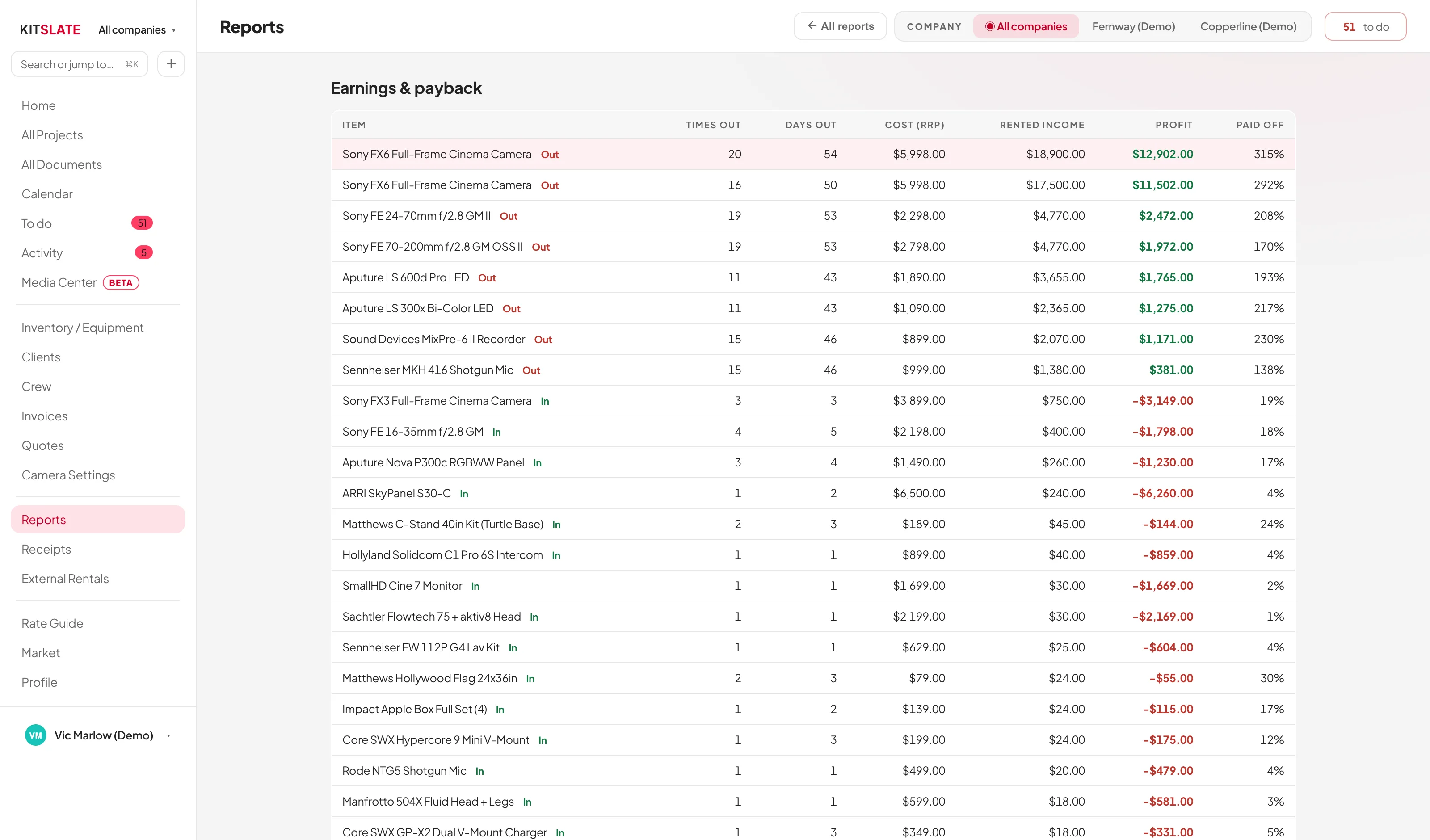
Earned against cost, per item and across the fleet.
03 · CURRENCY — one band per currency
Each currency totals on its own.
All companies shows one band per currency, each with its own total.
Figures stay in the currency they were earned inNothing is converted, so a figure means the same a year later.
Job money reads in the company that earned itJob money reports in that company’s billing currency.
Equipment is reported separatelyFleet figures use the currency in Settings → Accounting.
Figures click throughHeadline figures open the jobs, invoices, quotes or items behind them.
QUESTIONS — the ones people ask first
Before you try it.
Does KitSlate connect to QuickBooks or Xero?
No. It imports their files and exports a CSV for them.
What if I have not built quotes?
Quoted falls back to day rates × days. The reports still work.
Can I report on one company at a time?
Yes. The company filter applies to every report.
Can I get the numbers out?
Yes. The trackers export a CSV on Studio and up, and print as a PDF.
Try them on a full year.
The sandbox has a year of jobs to report on.