Call sheets that know who has confirmed.
Build the day on the sheet itself. Send one email per person with their own call time at the top. Watch Sent → Opened → Confirmed come back on the status card — no PDF hunting on a phone, no reply-all.
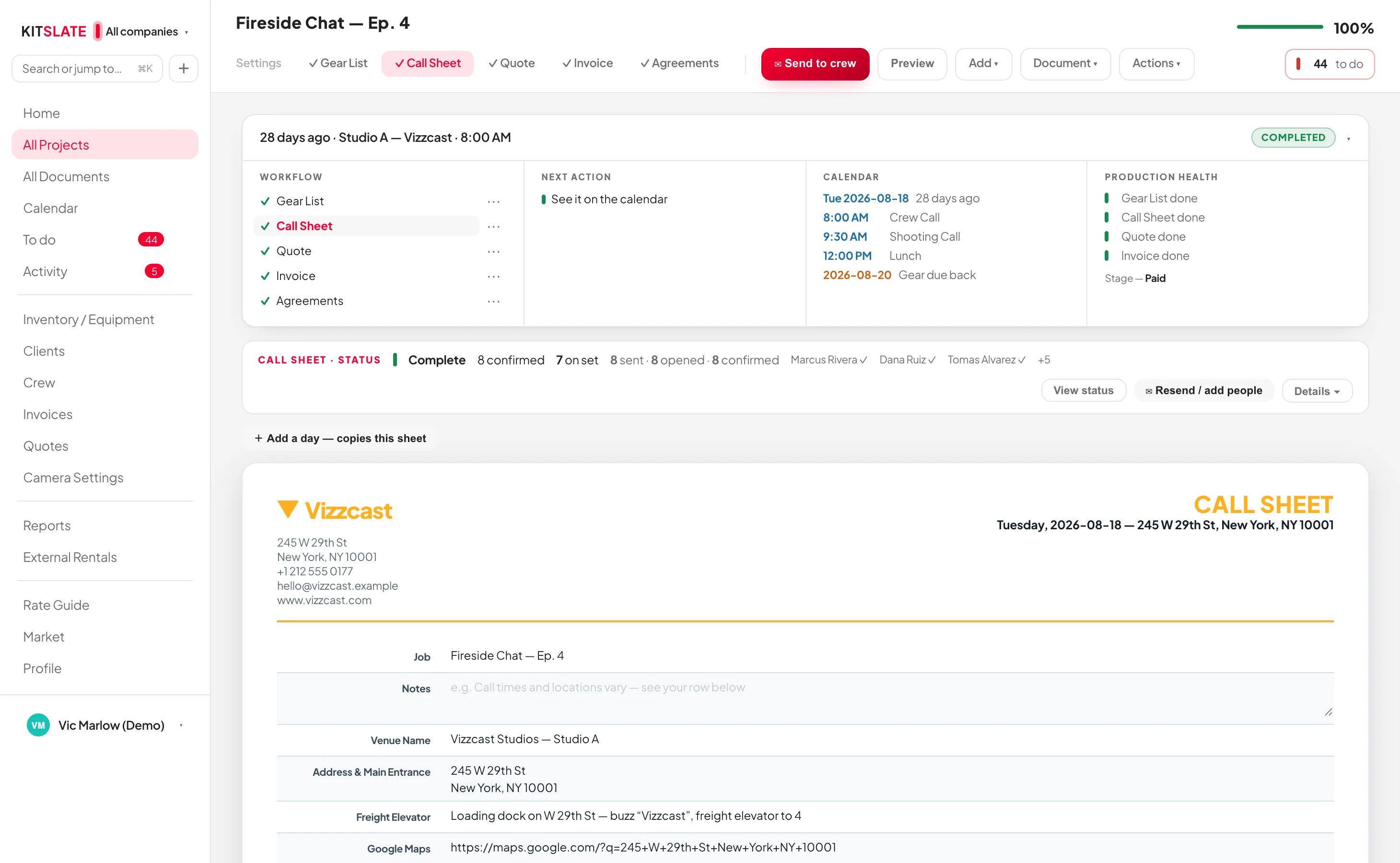
Everything edited in place, one sheet per day.
A job that runs three days carries three tabs. Add a key date and a tab appears; add a day and a key date appears. The printed title reads CALL SHEET — DAY 2 OF 3.
Their own day first. Nobody is CC'd.
Send to crew opens the sending box: the roster with tick-boxes on the left, the email exactly as it will arrive on the right. Press Send and each person gets their own message.
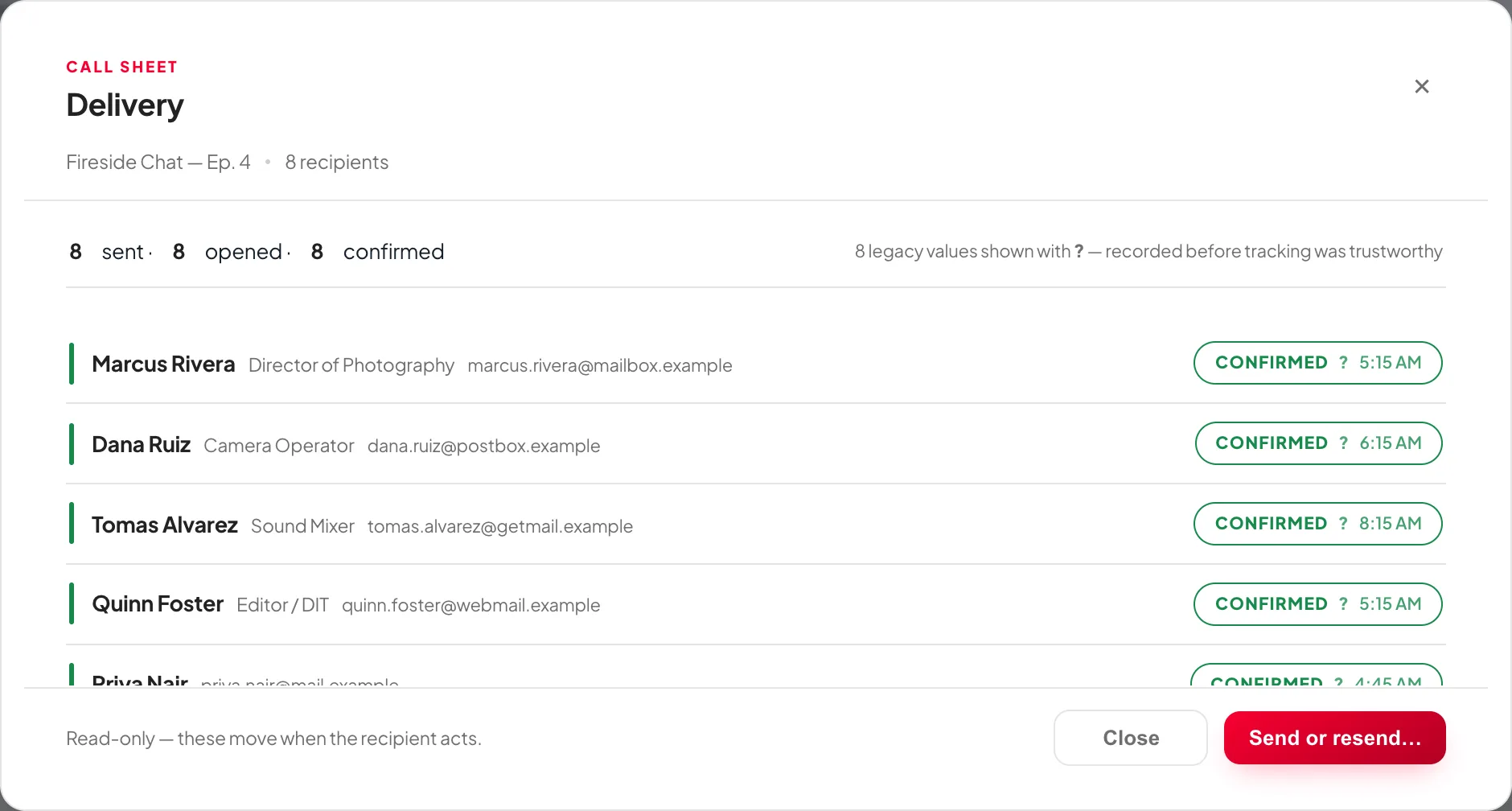
Per person, with times.
The CALL SHEET · STATUS card tracks each person through Sent, Opened and Confirmed. The tally and how many are on set sit in the collapsed row; Details opens the grid.
Before you try it.
Does my crew need an account?
No. Each person gets a private link by email. They confirm and read their sheet on a phone with nothing to install and nothing to sign up for.
How does a multi-day job work?
One sheet per day, as tabs across the top. The email each person receives carries the right day, and a scout or a strike is a tab too.
Can I re-send after a change?
Yes. Resend from the Sent links card and the person is asked to confirm again. Reset takes them back to Sent and clears opened and confirmed.
What does the crew actually see in the email?
Their own call and start location in a bubble at the top, then the full sheet: crew list, schedule, location, safety, meals and notes — the same content as the attached PDF.
Send one on a real job.
The sandbox has a production with a crew already on it. Build the sheet, press Send, and see what comes back.