Features

Everything the job needs,
in one app.

KitSlate covers a production from first enquiry to paid. Each feature reads what the others know, so you type each thing once.
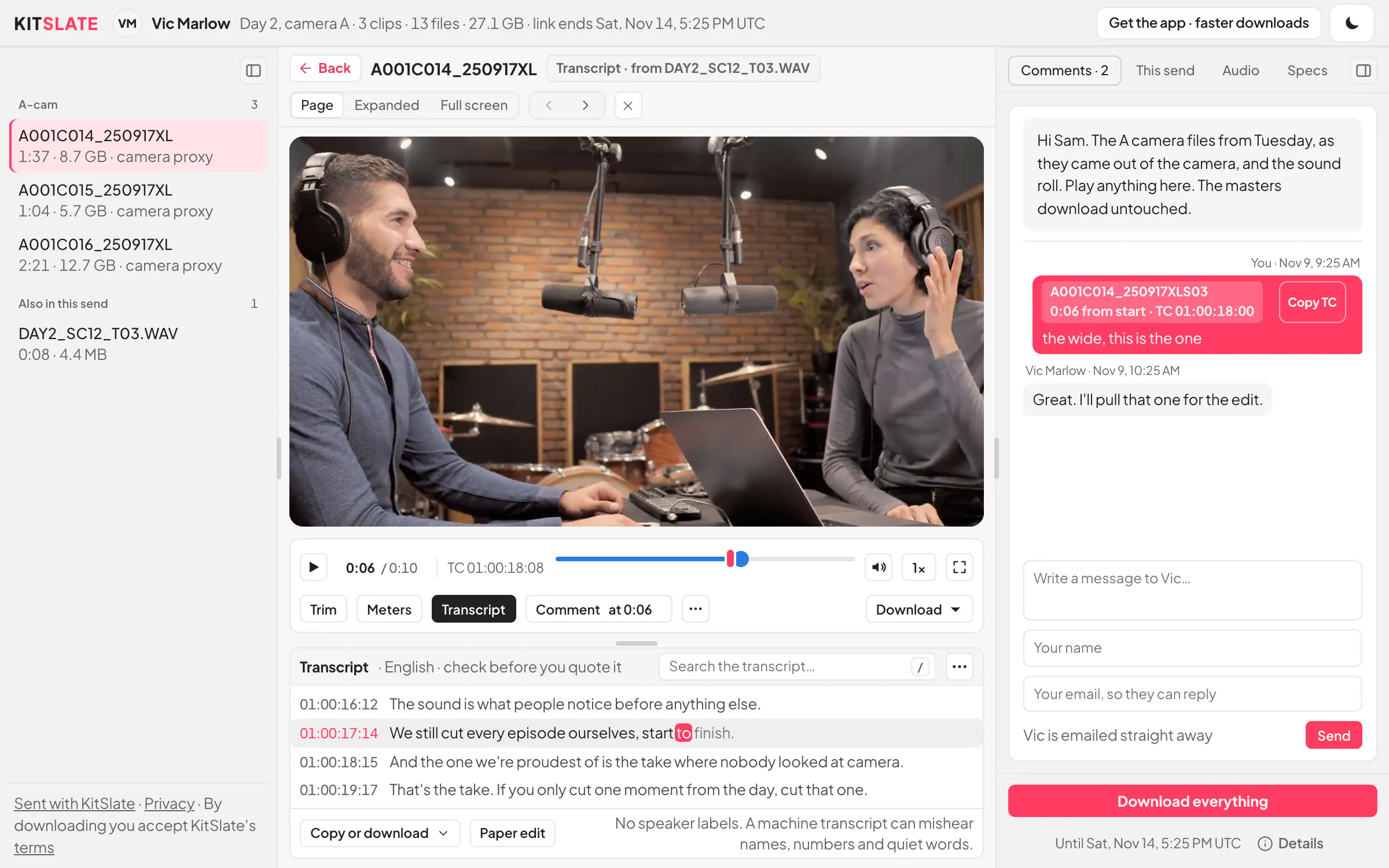
The download page with a clip playing: the clips on the left, the picture in the middle with its bar, a comment marker on the scrubber and the transcript under it with the line being heard lit, and the comments on the right
MEDIA CENTERShare rushes with clients. They play, comment and download.Up to 1 TB by email or link. Your client plays the camera files and comments at the frame. On every plan.Read about media center →
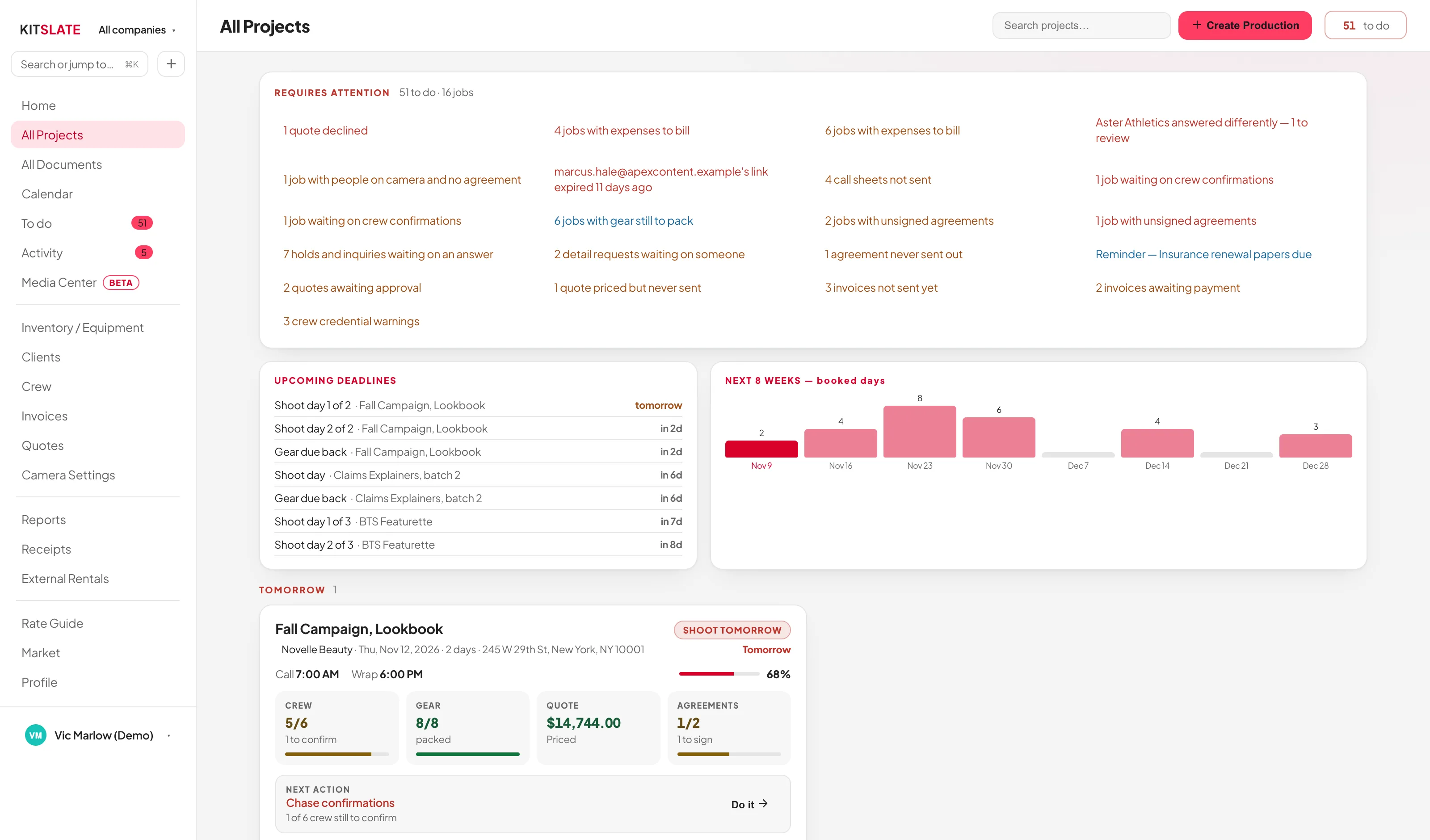
The All Projects board: what requires attention across the top, upcoming deadlines and booked days, then job cards in date buckets, each with a completion bar, crew, gear, quote and agreement tiles, the next action and a chip for every document
PRODUCTIONSProduction management software built around one record per job.Blocked jobs first, then every job in date order with its next action.Read about productions →
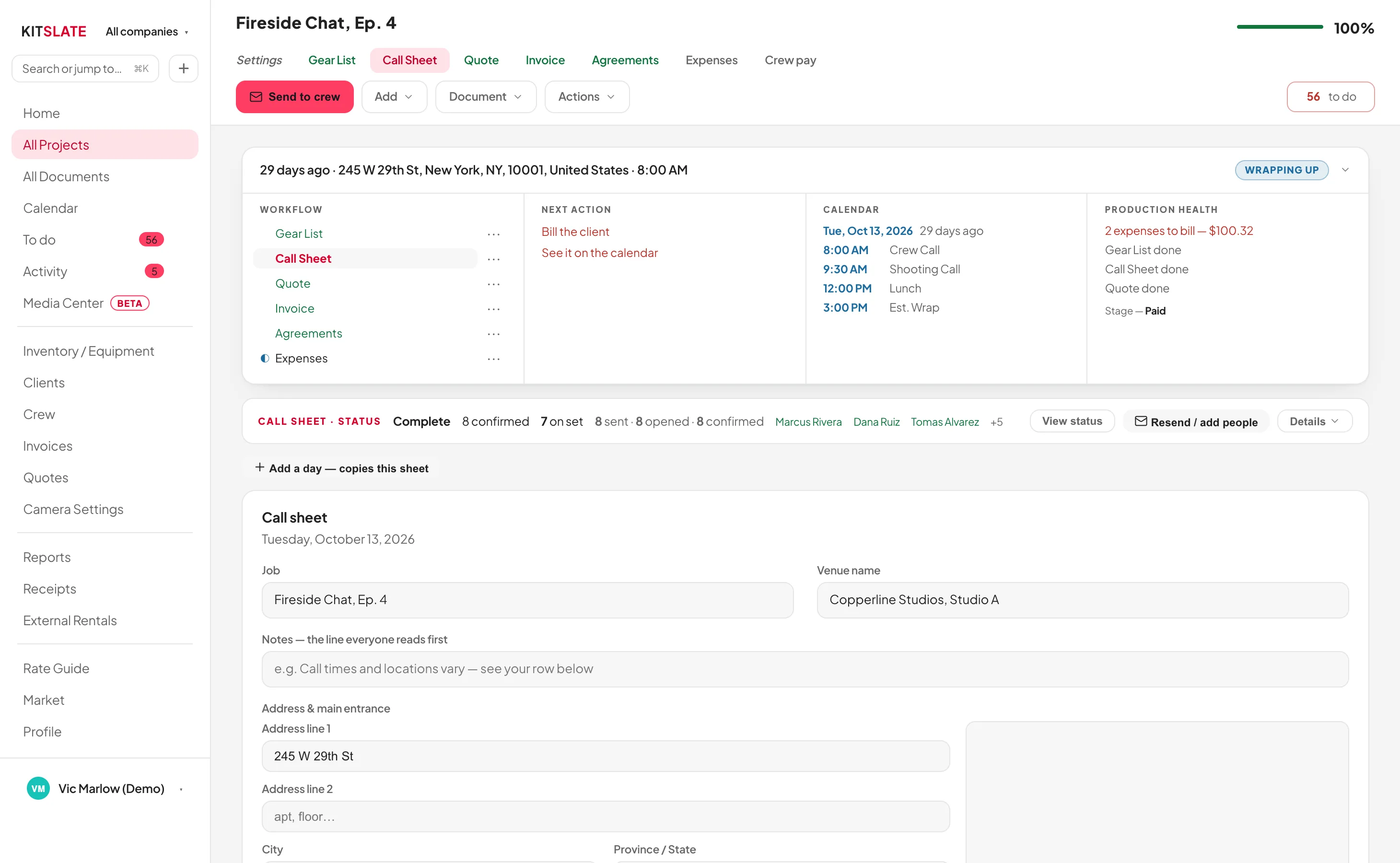
The KitSlate call sheet editor: the day, key times, the crew table and the schedule, each on its own card, with the printed sheet previewed beneath
CALL SHEETSCall sheet software that knows who has confirmed.One email per person, their own call first, and a status card that shows who has confirmed.Read about call sheets →
The call sheet email as it arrives: the company name, a greeting by first name and the message, then a Your day card with the person's own call time, start location, shoot times, date, role and contact, a View online button and a Confirm — I'll be there button, and the full call sheet beneath
WHAT THEY RECEIVEWhat arrives on the other end.Every email, page and PDF your crew and clients get, captured from the sandbox.Read about what they receive →
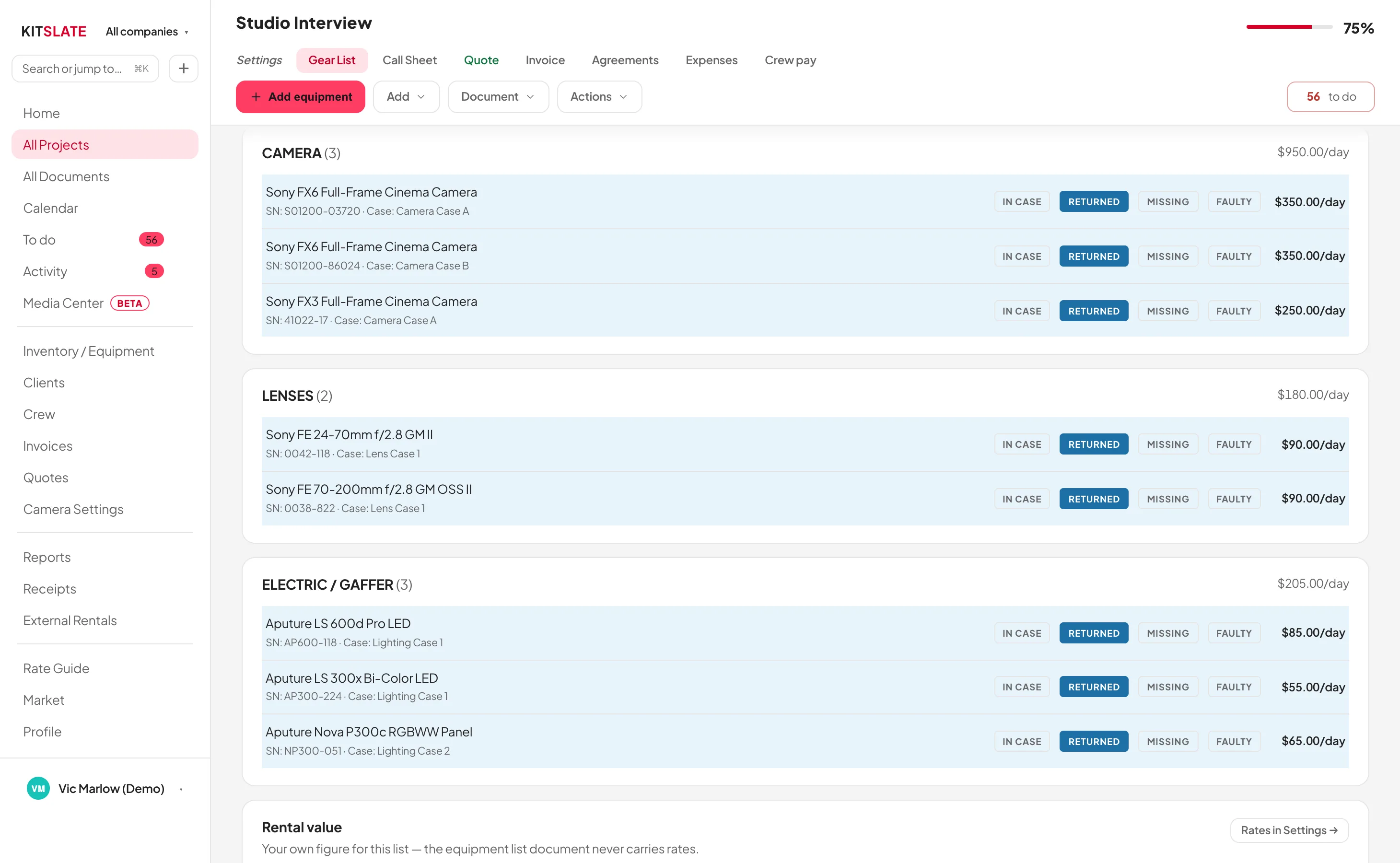
A KitSlate gear list: the job's facts, the camera settings, and one card per category with the four packing marks and the day rates
GEAR LISTSGear lists that price the job, pack the van and come back.Picked from your inventory, priced with one switch, packed by case.Read about gear lists →
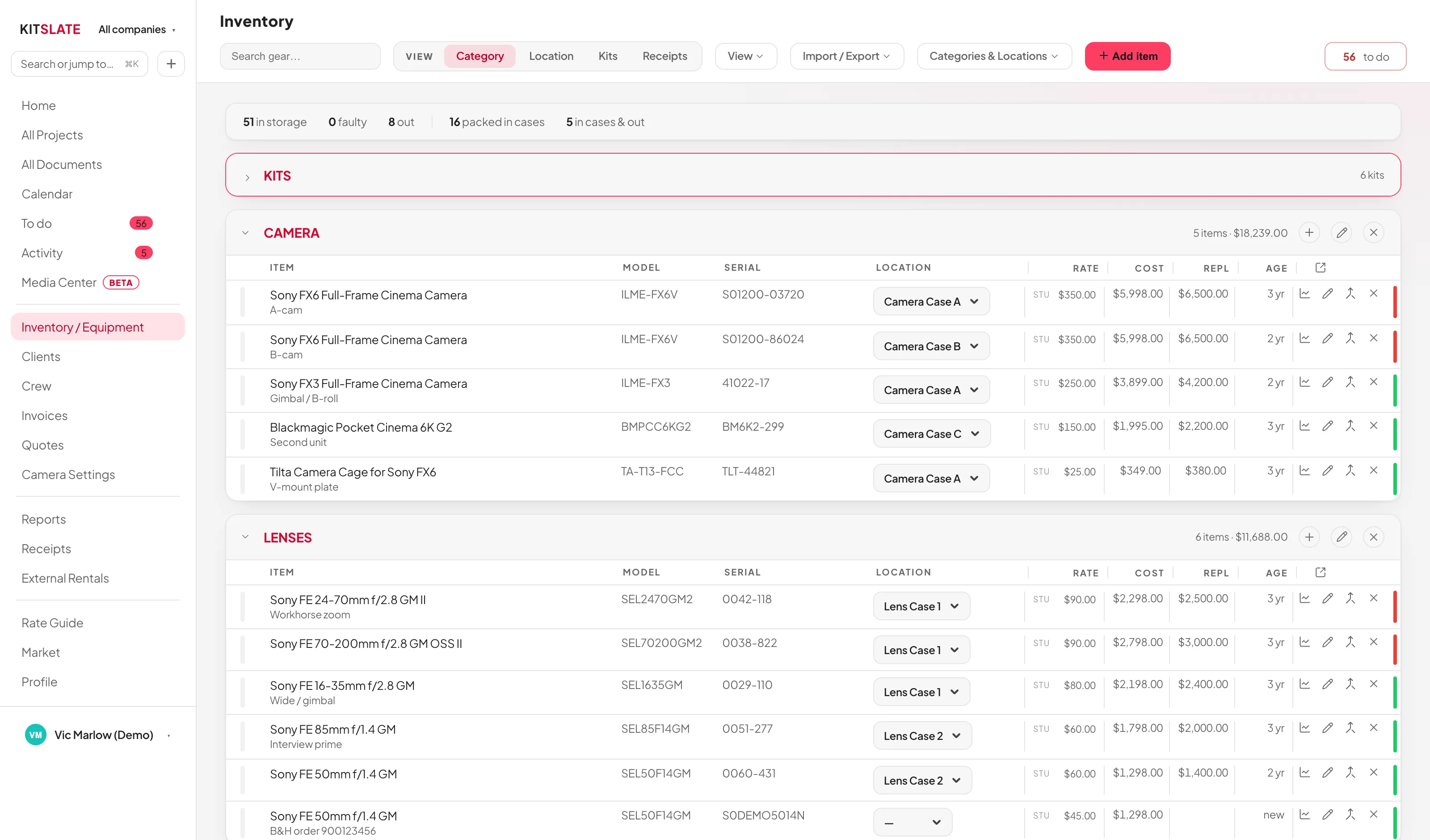
The KitSlate inventory, item by item: Camera and Lenses open, each item with its model, serial, case, day rate, cost, replacement value and age
EQUIPMENT INVENTORYFilm equipment inventory that prices your quotes and packs your van.Categories, locations and kits, three day rates, and an importer that reads almost anything.Read about equipment inventory →
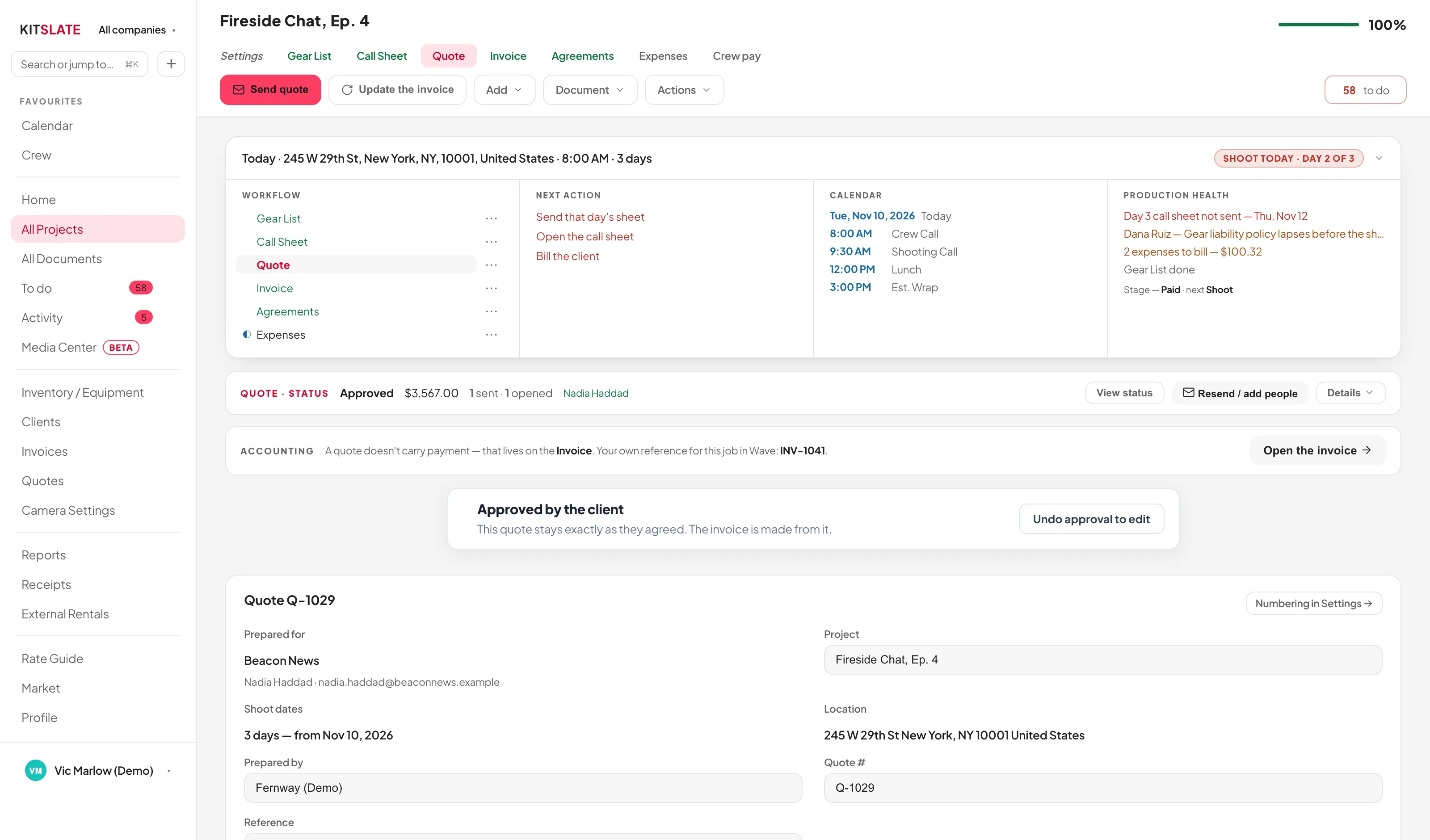
The KitSlate quote editor: one card per section with rate, quantity, days and total on every line, the totals and terms below, and the printed quote previewed beneath
QUOTES & INVOICINGVideo production quotes and invoices, priced from the job.Sections that fold to one line, an invoice from the quote, and a real Pay button.Read about quotes & invoicing →
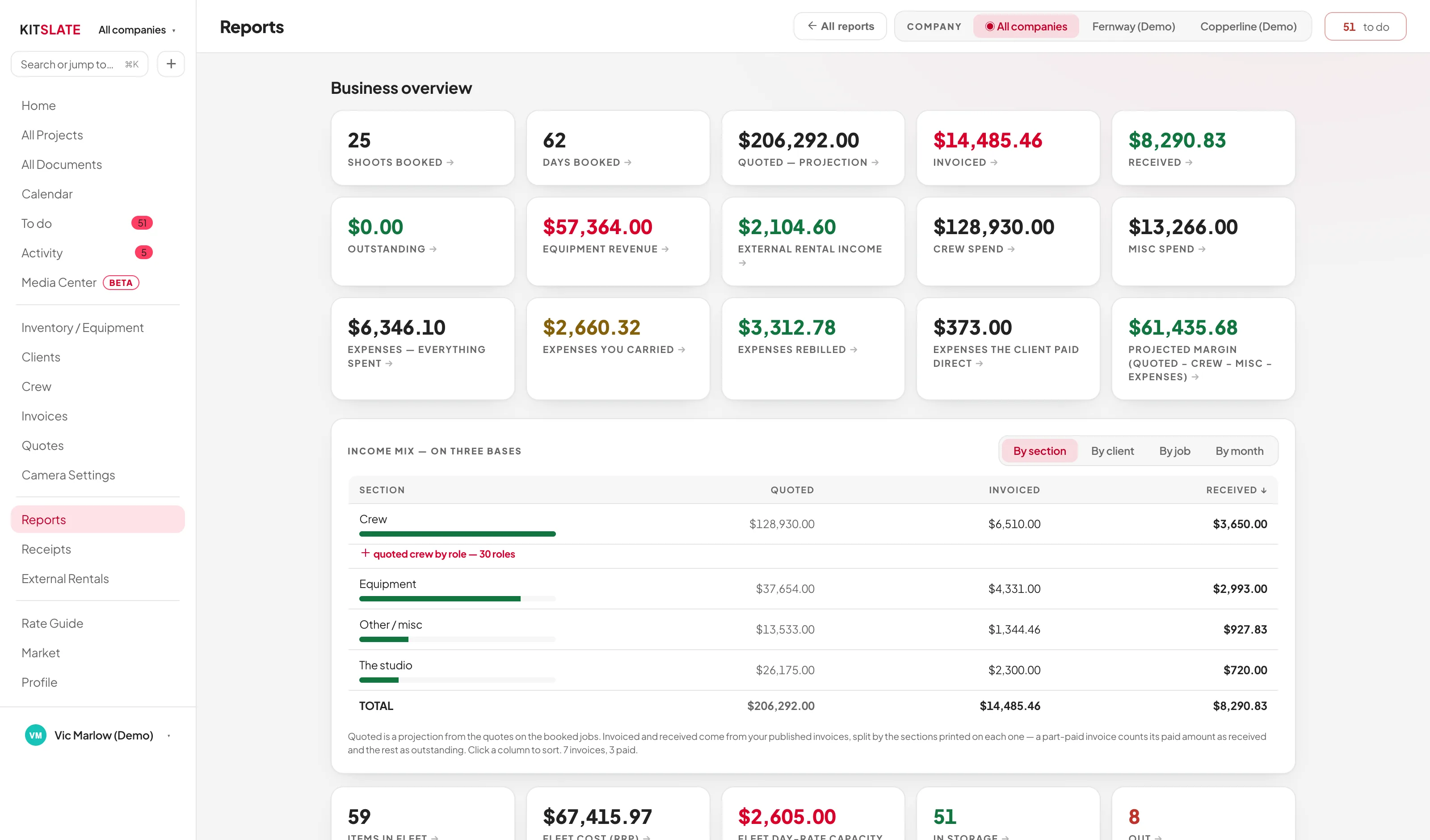
The KitSlate reports hub: money, equipment and crew reports listed in three groups with the company filter above them
REPORTSTwelve reports. The headline figures drill in.Income mix, equipment payback, idle gear, outstanding invoices and crew spend.Read about reports →
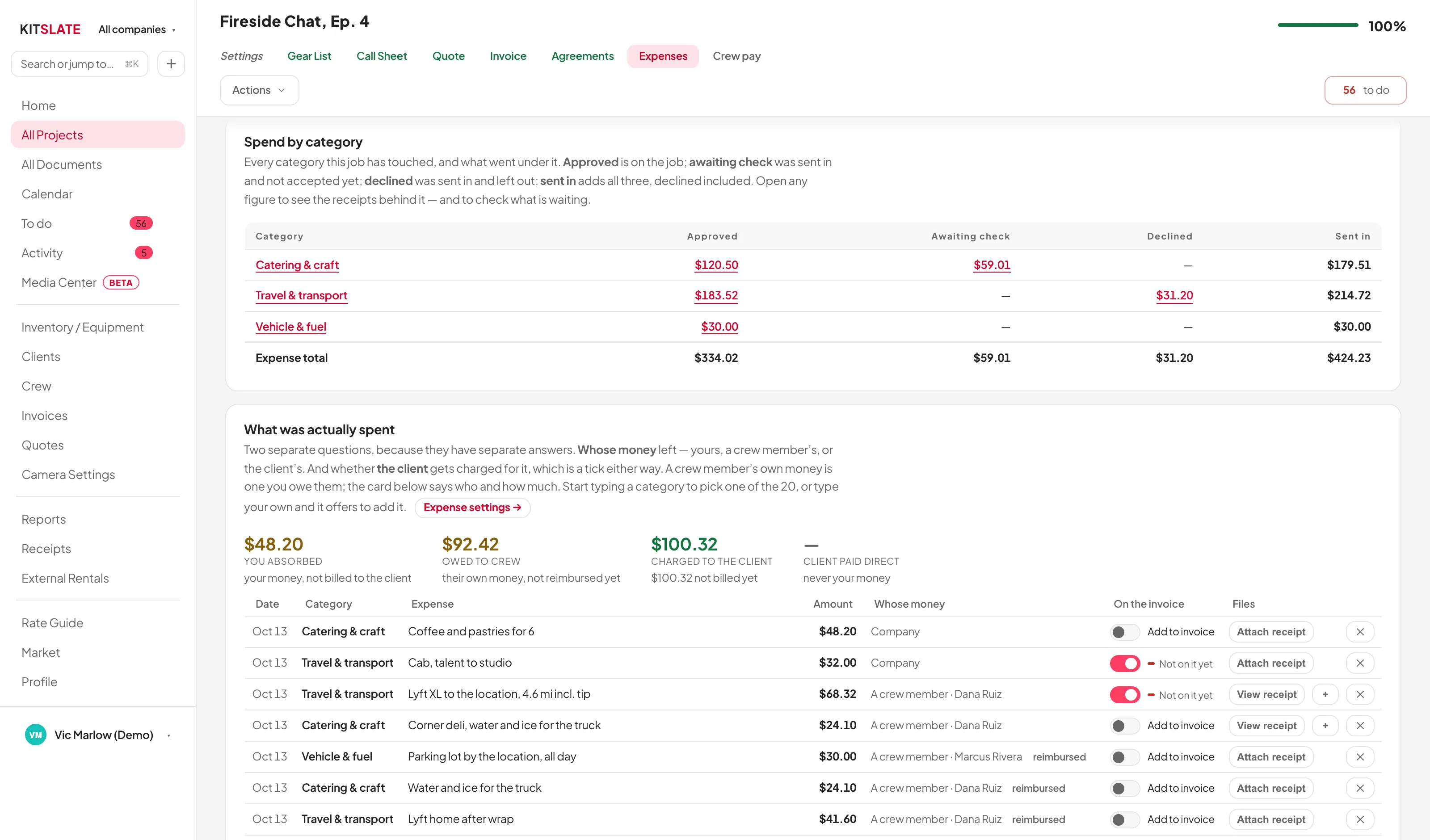
A job's Expenses tab: Spend by category with approved, awaiting check, declined and total columns, then the itemised expenses with who paid and the Add to invoice switch
EXPENSES & RECEIPTSEvery receipt read, kept, and billed.Receipts from your desk, the crew’s phones or email, checked by you and billed with one switch.Read about expenses & receipts →
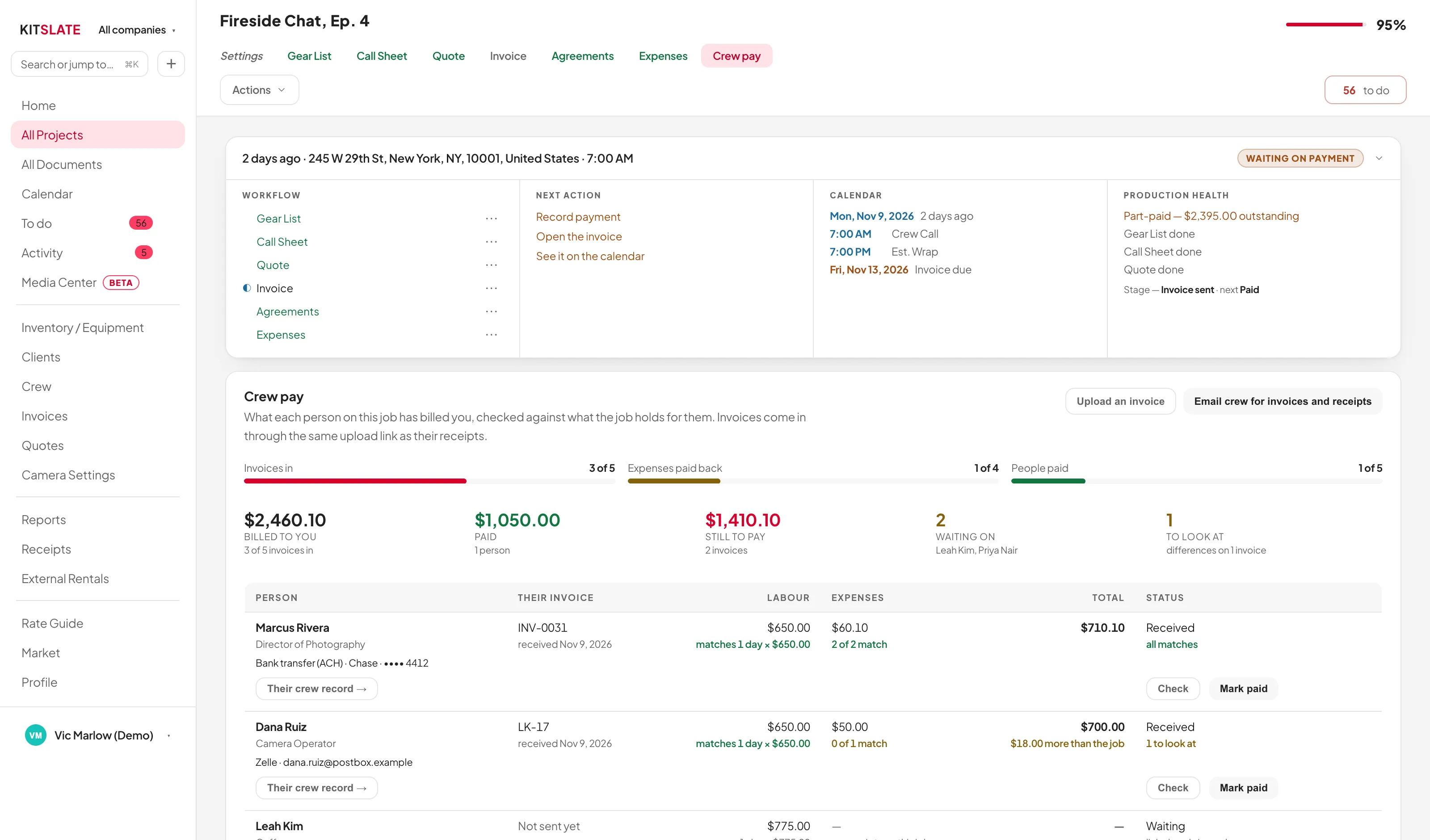
A job's Crew pay tab: progress bars for invoices in, expenses paid back and people paid, the totals billed, paid and still to pay, and a row per person with their invoice, labour and expenses each checked against the job, a status, and Check and Mark paid
CREW PAYEvery crew invoice in, checked, and paid.One wrap-up email, every invoice line checked, each payment recorded.Read about crew pay →
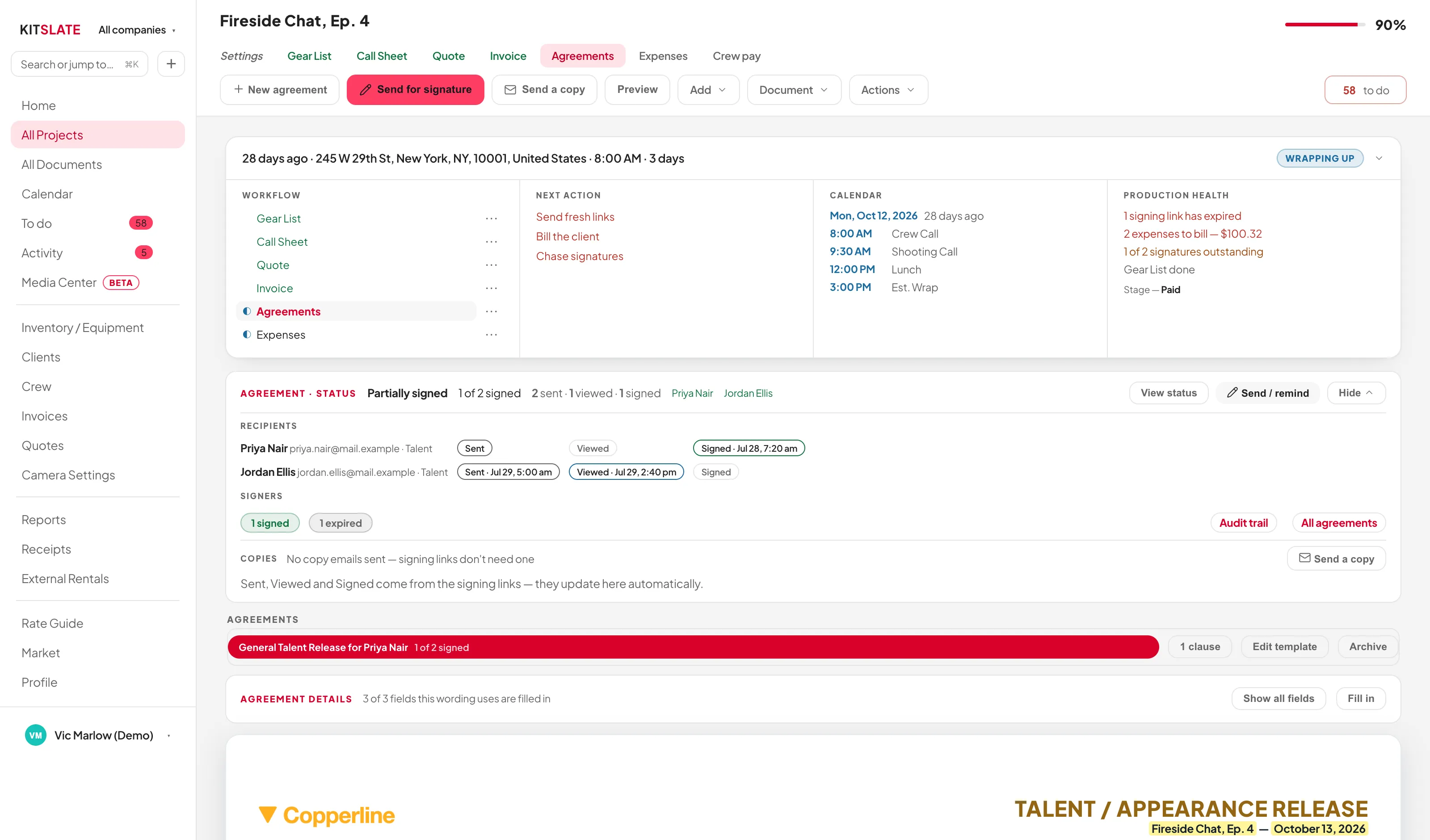
The KitSlate agreements tab: the signing status band across the top, the signers table with each person's own state, and the document beneath
AGREEMENTS & RELEASESTalent releases, location releases and NDAs, signed on a phone.Eight talent wordings, a location release, custom agreements, and a built-in signing engine with an audit trail.Read about agreements & releases →
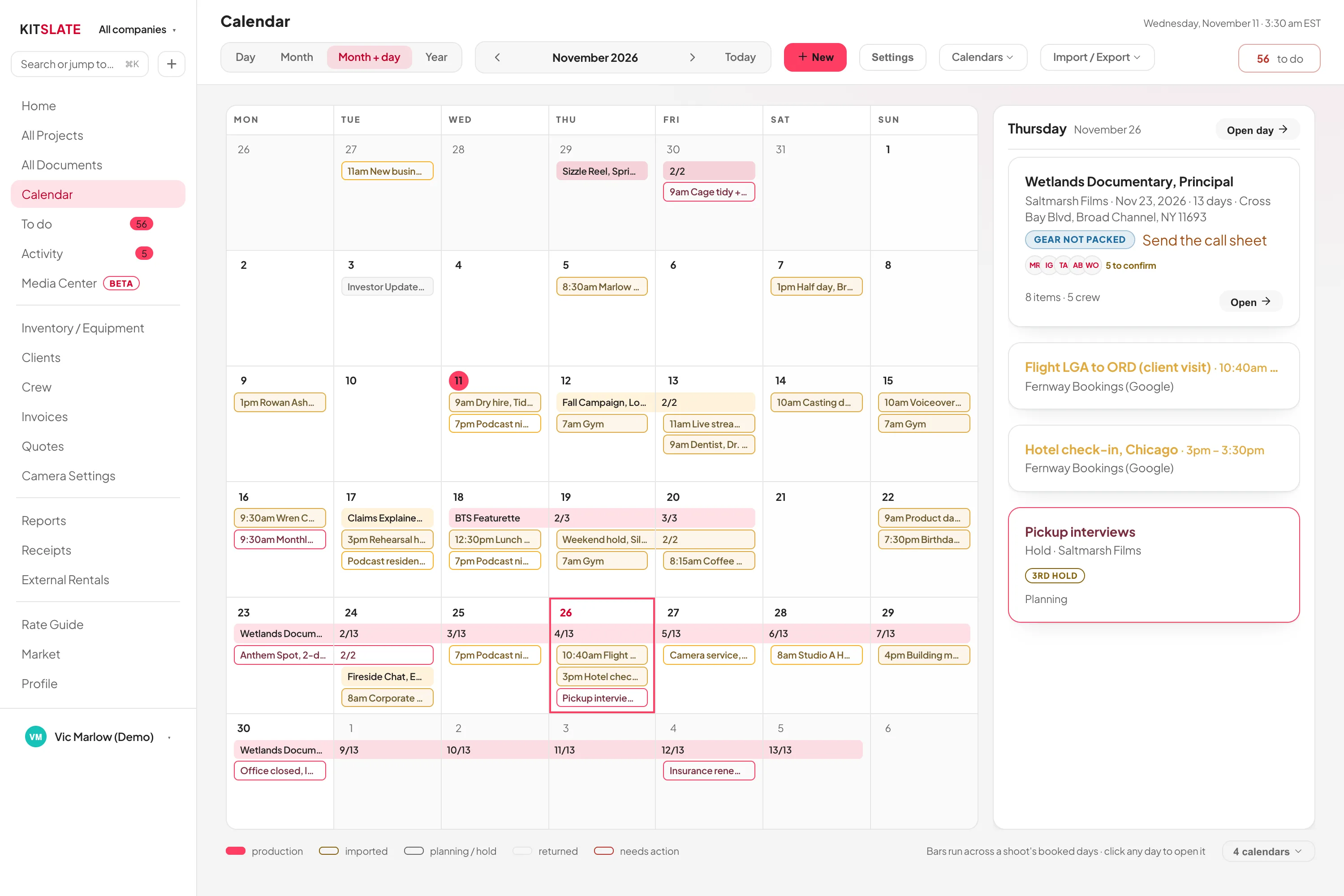
The KitSlate calendar in month view: bars spanning each production's booked days, coloured by company
CALENDAR & AVAILABILITYA calendar that understands productions.Multi-day bookings, drafts, outside calendars in, and your calendar out to Google.Read about calendar & availability →
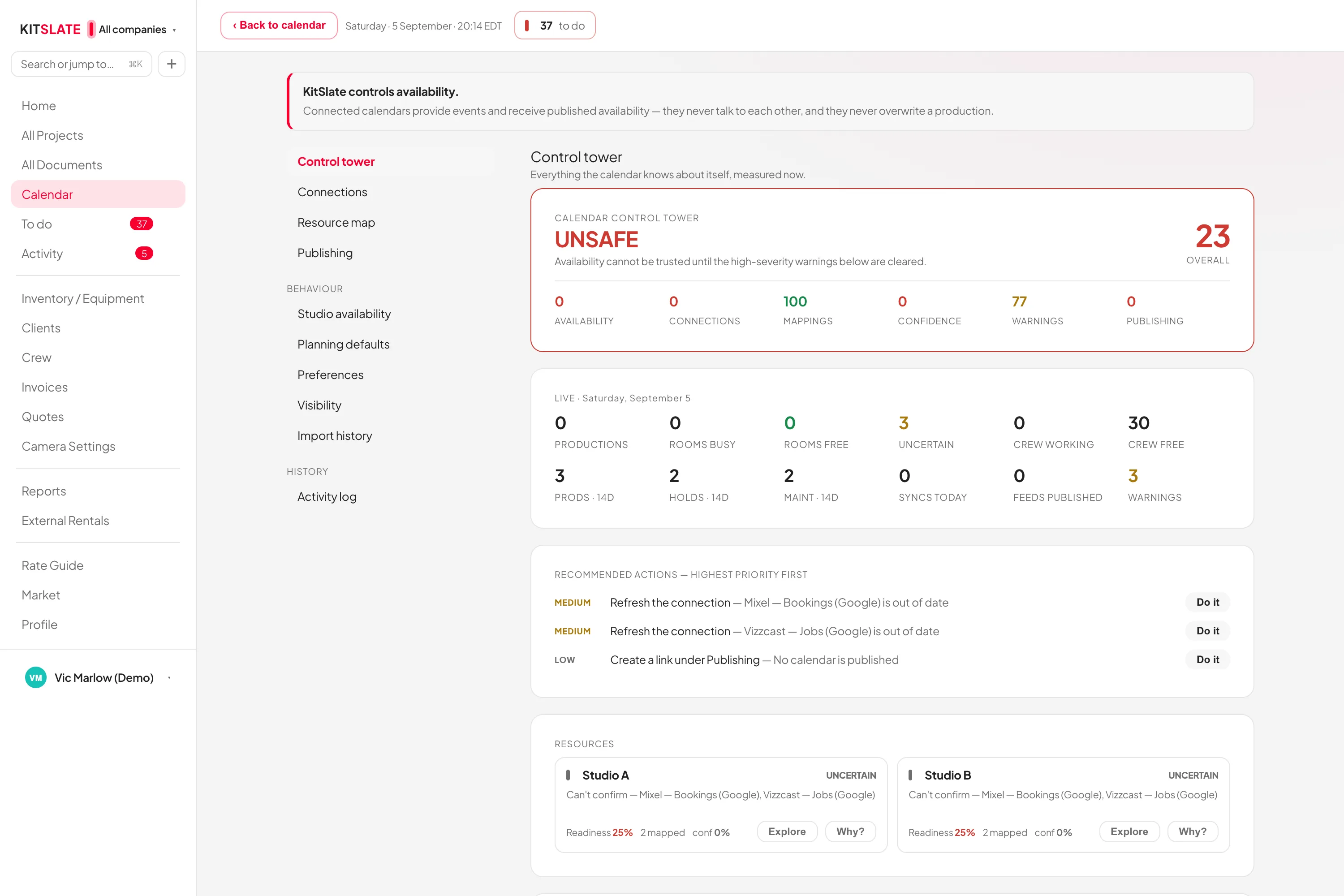
The calendar control tower: connected calendars, their health and what each one blocks
INTEGRATIONSWhat KitSlate connects to.Claude, Google Calendar, Stripe, email in your name, and accounting files.Read about integrations →
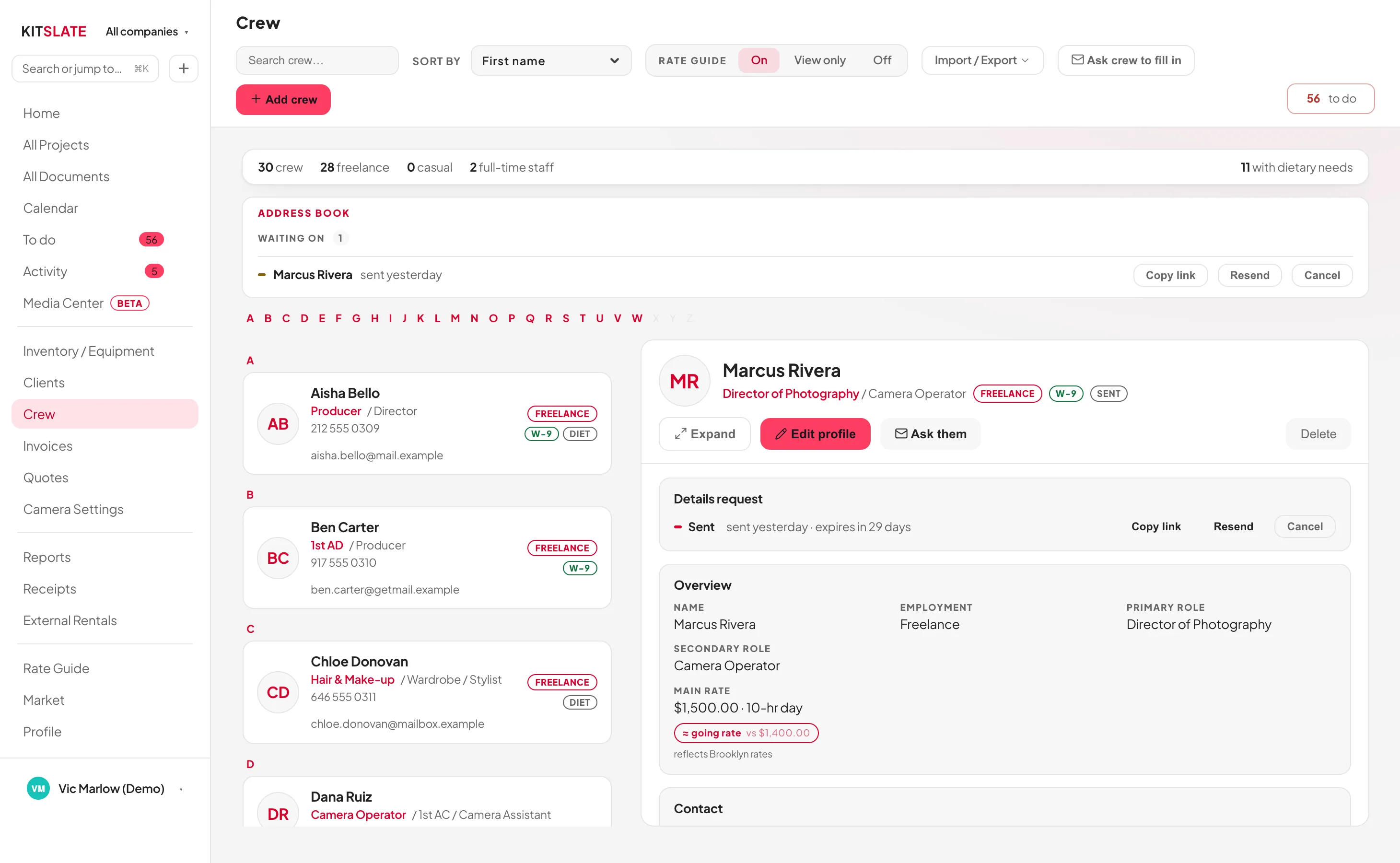
The KitSlate crew page: counts of freelance, casual and staff across the top, address-book requests waiting on a reply, the list of people with roles, employment and markers, and on the right the person you picked, with their roles, rate and paperwork
CREW DIRECTORYYour crew database, and a directory where people find you.Two roles and rates per person, paperwork with expiry, a self-fill form and a public directory.Read about crew directory →
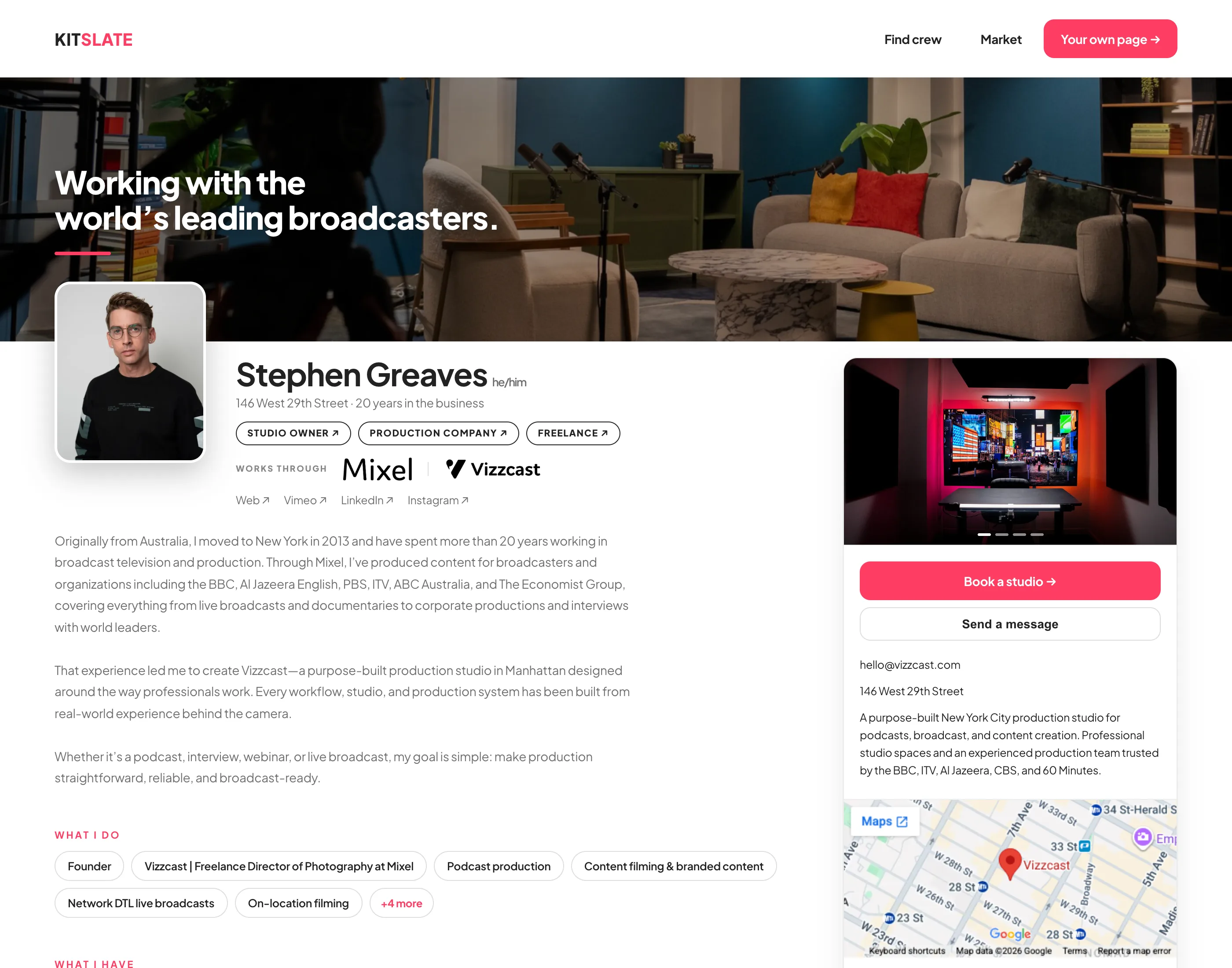
A published KitSlate member page: portrait, name and roles, the what-I-do chips, contact card with a map, and kit for hire
PUBLIC PROFILEA page of your own. Free, on every plan.Roles, showreel, kit, gear for sale and an enquiry form, at your own address.Read about public profile →
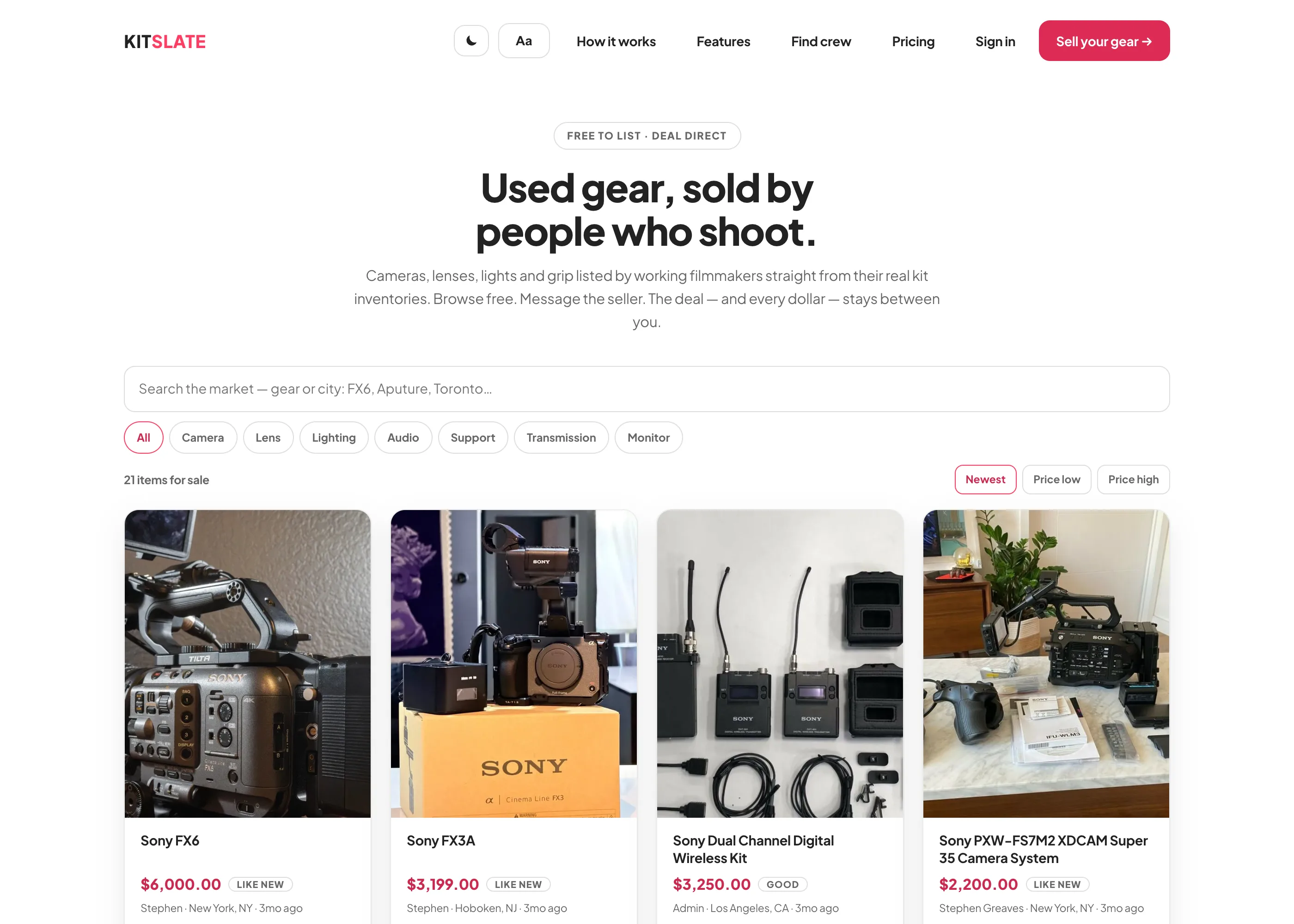
The KitSlate market: a grid of used camera, lens and lighting listings with prices, condition and city, from working filmmakers
USED-GEAR MARKETSell used gear to people who shoot. Free to list, and you keep the full sale.List in one click, verify with the receipt, message direct. No fees.Read about used-gear market →
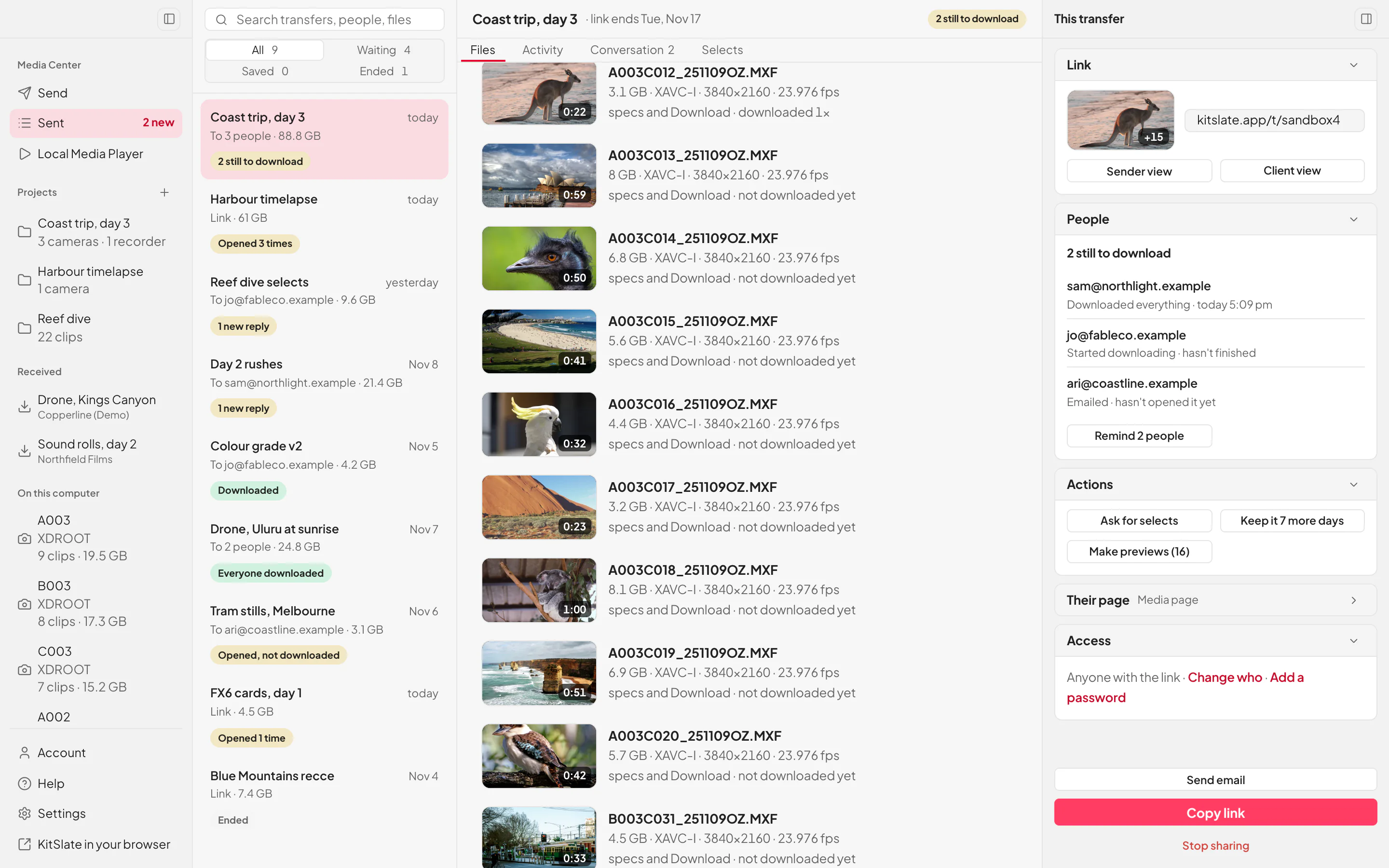
KitSlate Desktop, light mode: the Sent list with Coast trip, day 3 open, every clip with its picture, length and size, and at the right its link, who has downloaded it, and Copy link.
DESKTOP APPDesktop file transfer and media player.The Media Center for Mac and Windows. Uploads carry on through sleep and restarts.Read about desktop app →
ONE PRODUCTION — how it hangs together

You create the job once.

The client, the dates, the crew, the equipment and every document after that belong to that production. The call sheet already knows the call time, the invoice already knows the lines, and the agreement already knows who is on set. How it works walks the whole job from first enquiry to paid; the manual explains every screen.

COMPARED from their own pages

KitSlate beside the tools you know.

Production software compared: StudioBinder, SetHero, Cheqroom and Booqable, on call sheets, crew, gear, quotes, invoices, releases and price. File transfer compared: Media Shuttle, MASV, WeTransfer, Dropbox, Frame.io and FileZilla, on size, playback, review and price. Each one’s side is read from its own pages and dated, and where one of them leads, the table says so.

See it all on one job.

A full workspace with a production already in it. No account, nothing to install.

PREVIEW — NOT THE LIVE SITE · 5278 · 17 Nov 2026 · 28118909