Features · Integrations

What KitSlate connects to.

Google Calendar per company, Stripe for card payments, and email in your company’s name. QuickBooks, Wave and Xero swap files. Claude answers questions about your KitSlate.
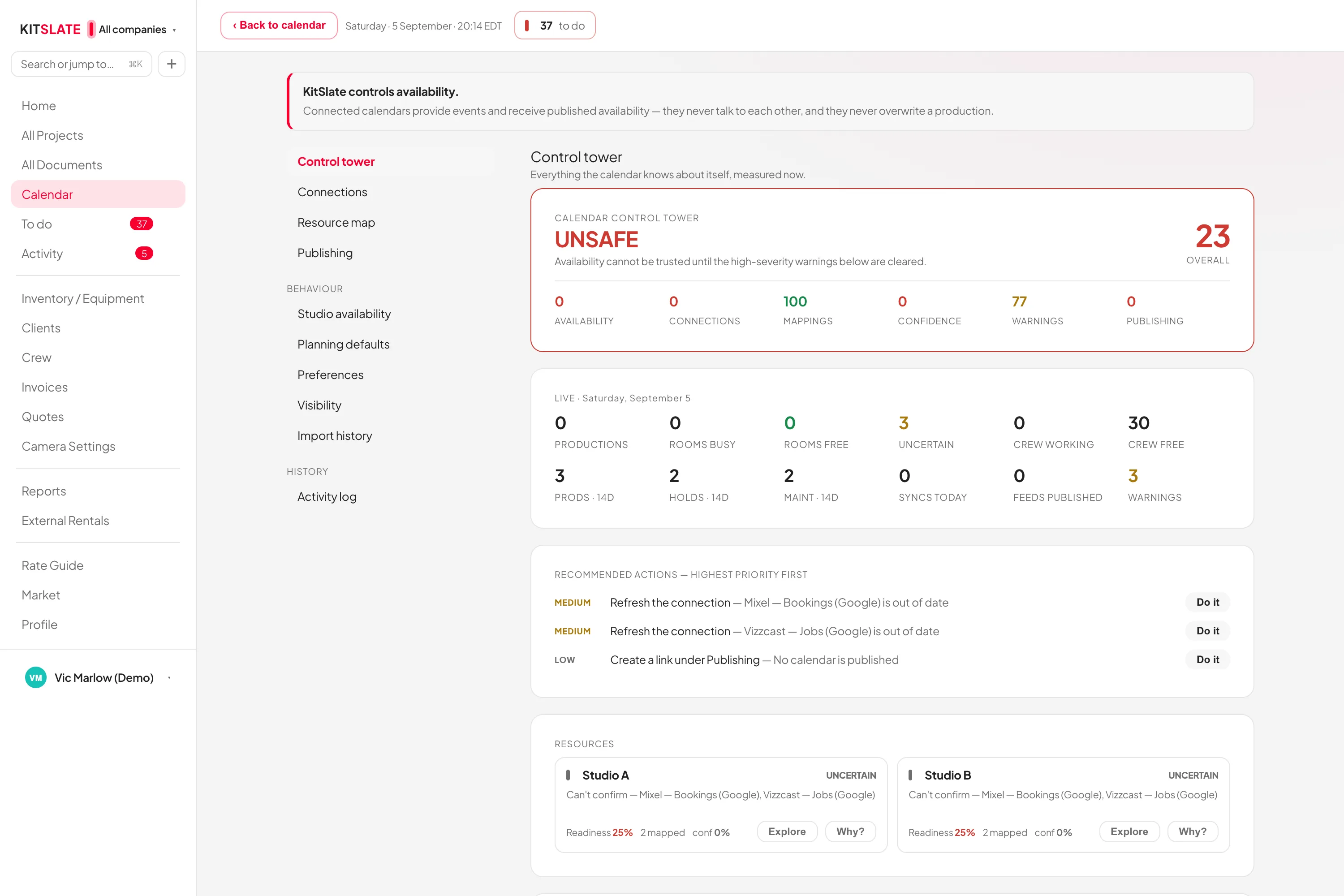
kitslate.app/app · calendar · control tower
The calendar control tower: connected calendars, their health and what each one blocks
Each connection, its health, and what it blocks.
01 · CALENDAR — one account per company

Google Calendar, both directions, kept apart.

Each company connects its own Google account. Every save appears there within seconds.

Out: seconds, not hoursChanges reach Google as they happen. A failed write is retried every two minutes.
In: any calendar with an addressGoogle, iCloud, Outlook, any iCal address or an .ics file.
The same calendar can be on both sidesIts own shoots never come back as imports.
KitSlate stays the recordProductions are edited in KitSlate and written out.
02 · MONEY & MAIL — Stripe, and replies to you

Paid by card. Sent in your name.

Clients pay invoices by card through Stripe. Every email goes out in your company’s name, and replies come to you.

A real Pay buttonA pay link and QR code. The money goes to your own Stripe account.
Cardholder data never reaches KitSlateKitSlate stores no card number. The payment pages are Stripe’s own.
Replies come to youEvery document carries your letterhead and reply address.
ShareGridA ShareGrid link lists an item on your page. Payouts import as a CSV.
03 · ACCOUNTING — files in and out

QuickBooks, Wave and Xero: file exchange only.

Import their files and export a CSV back. You move every file yourself.

You never say which system printed itDrop any of their exports and the importer works out what it is.
Nothing goes in until you press ImportYou review every row, and where it will attach, before anything is written.
Where the boundary sitsYour ledger stays in your hands.
Everything in and out, listedSettings → Integrations → Data in & out lists every import and export.
04 · CLAUDE — ask in plain words

Ask Claude about your KitSlate.

Add KitSlate in Claude and ask in any chat. Who opened the rushes, what is free on Friday, what is overdue.

Connect onceIn Claude, add a custom connector with kitslate.app/mcp. Sign in to KitSlate and choose Allow.
It reads your KitSlate, as youTransfers, gear, call sheets, invoices, clients and crew. Nobody else’s.
It never takes paymentsIt cannot change an invoice, or change or delete anything.
It can start a send, if you allow itClaude fills in the title and who it is for. You add the files and press Send.
Ask KitSlate, in the appThe same questions in the Create Production box, on Solo and up.
You see what it readIn Settings → Integrations → Claude. Disconnect there any time.
QUESTIONS — the ones people ask first

Before you try it.

How does KitSlate work with QuickBooks or Xero?

By file, both ways. Every movement is one you make.

Do my clients need an account to pay?

No. The pay link opens Stripe’s own page.

Can I send from my own domain?

No. It sends from KitSlate’s address under your company’s name, with replies to you.

Does connecting Claude cost extra?

Not from KitSlate. Your own Claude plan covers the questions.

Connect one and watch it move.

The sandbox shows it all without connecting anything.

PREVIEW — NOT THE LIVE SITE · 5278 · 17 Nov 2026 · 28118909