Desktop file transfer
and media player.
The same Media Center in a small app for Mac and Windows. Big uploads keep going through sleep, a closed window and a restart.
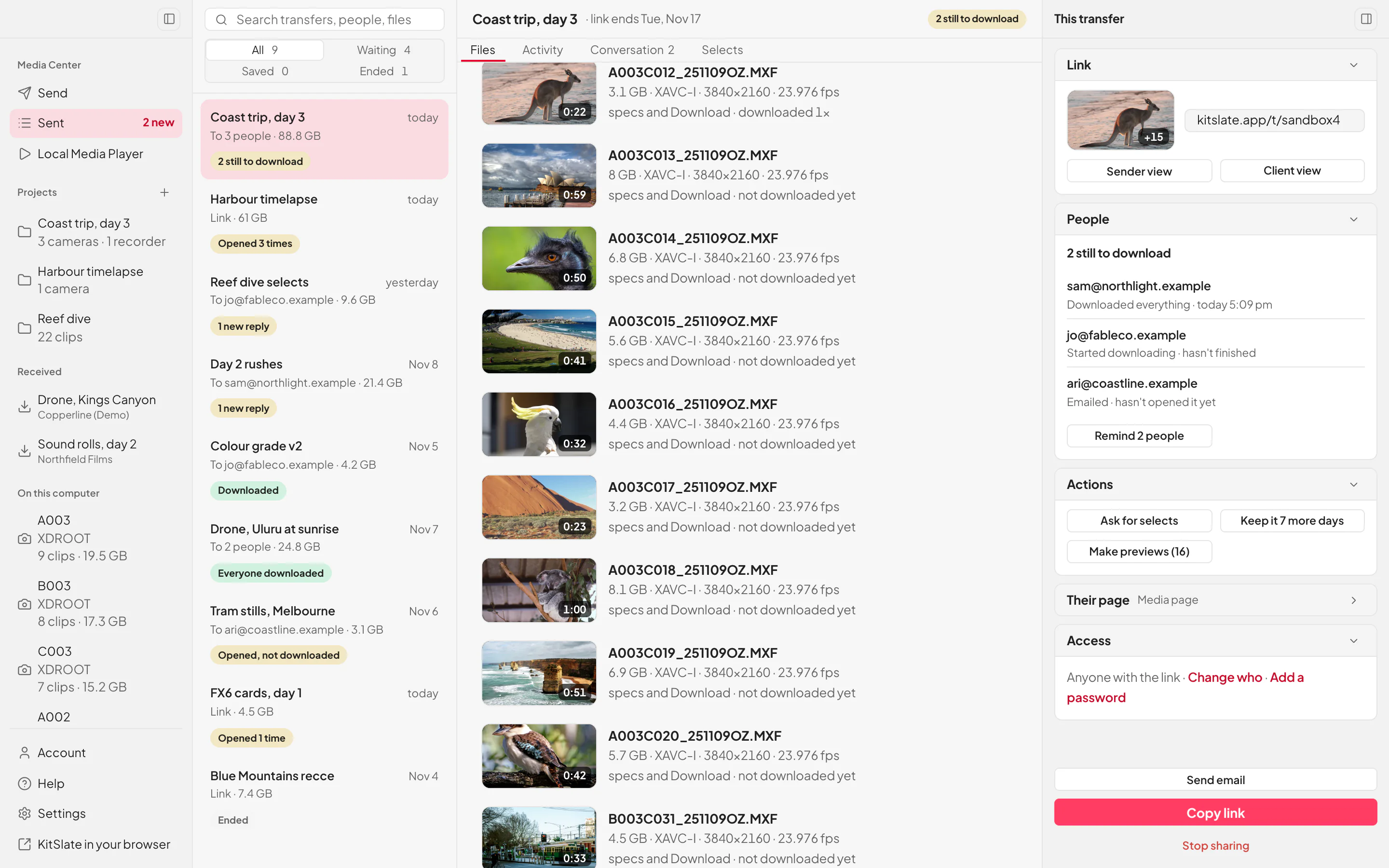
A browser is made to be closed. A big upload is not.
Each of these has stopped a real 200 GB job. The browser still does everything, and your recipients never need the app.
The same send page. Nothing to learn.
Sign in once and drop a shoot, a folder or a file. The send page is the one you already know.
Walk away. It finishes.
It carries on from the menu bar or tray, after sleep and after a restart. In our test, a 1 GB upload force-quit at 33% finished on its own when reopened.
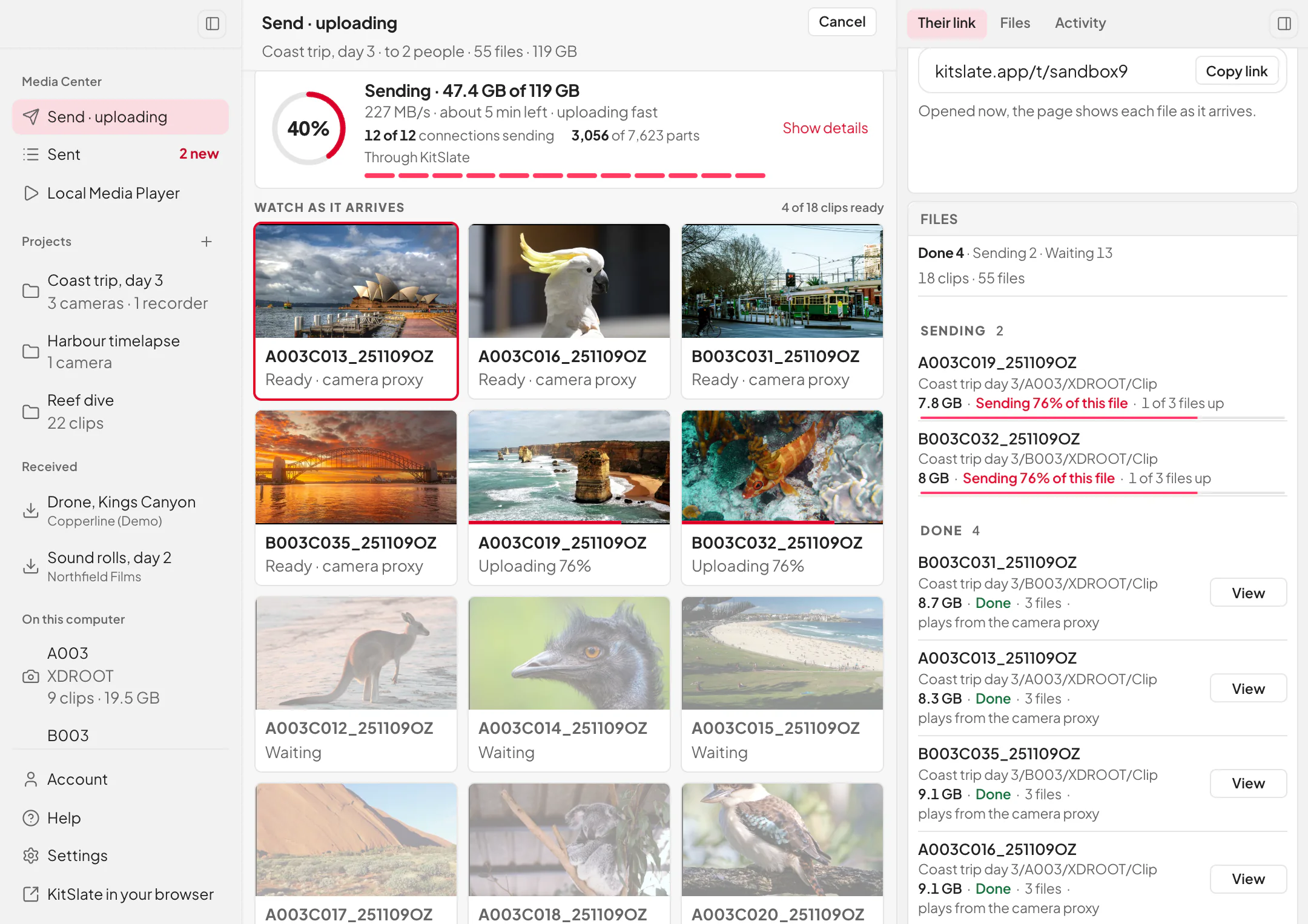
Four things set the speed. The app shows you all four.
Your line, the drive, the computer and the path to storage. A 239 GB shoot of 113 files went up in 25 minutes on a 2.13 Gbps line.
Big deliveries arrive in one folder, and finish.
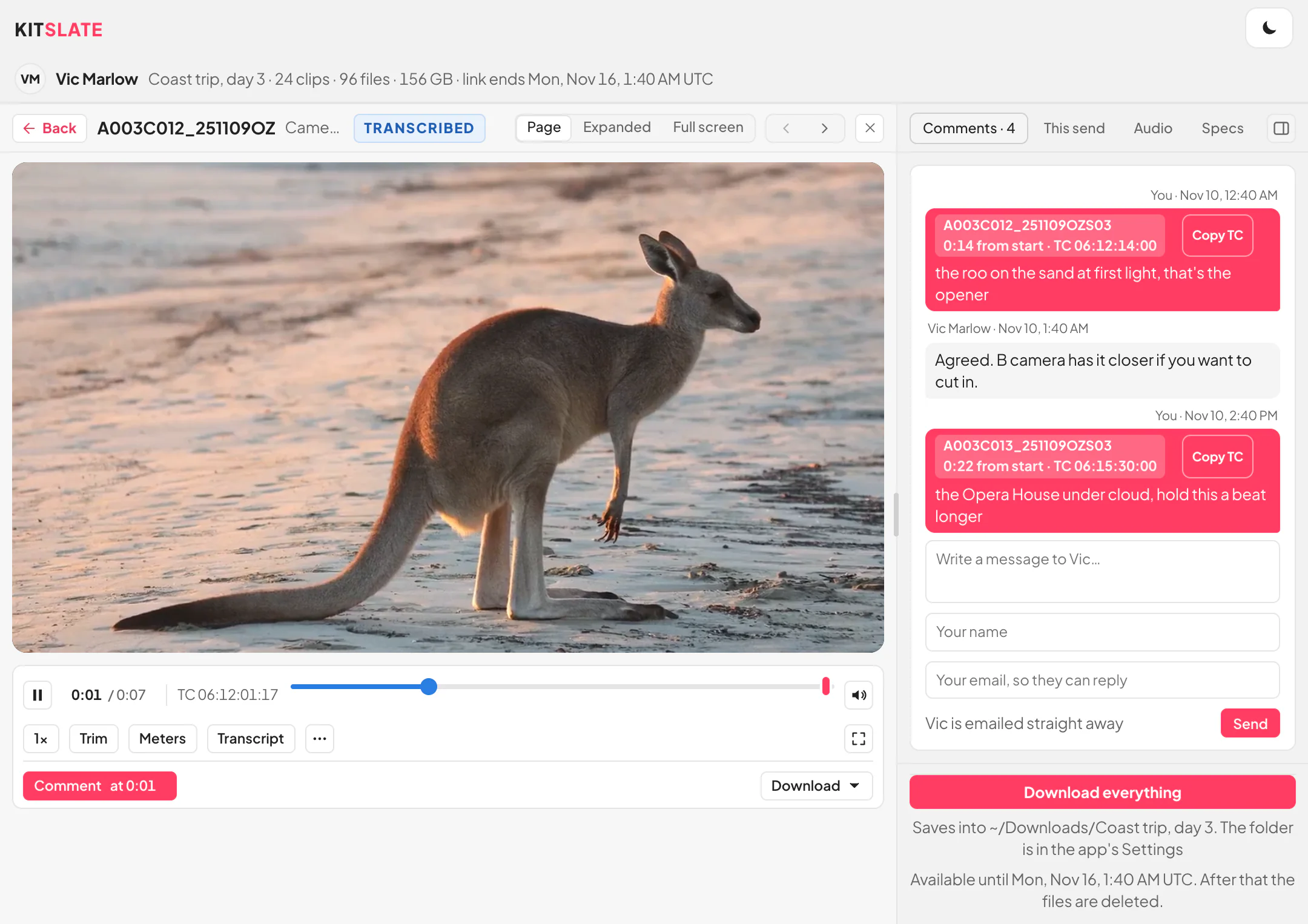
Big transfers offer Open in KitSlate. Download everything saves every file into one folder and carries on after a restart.
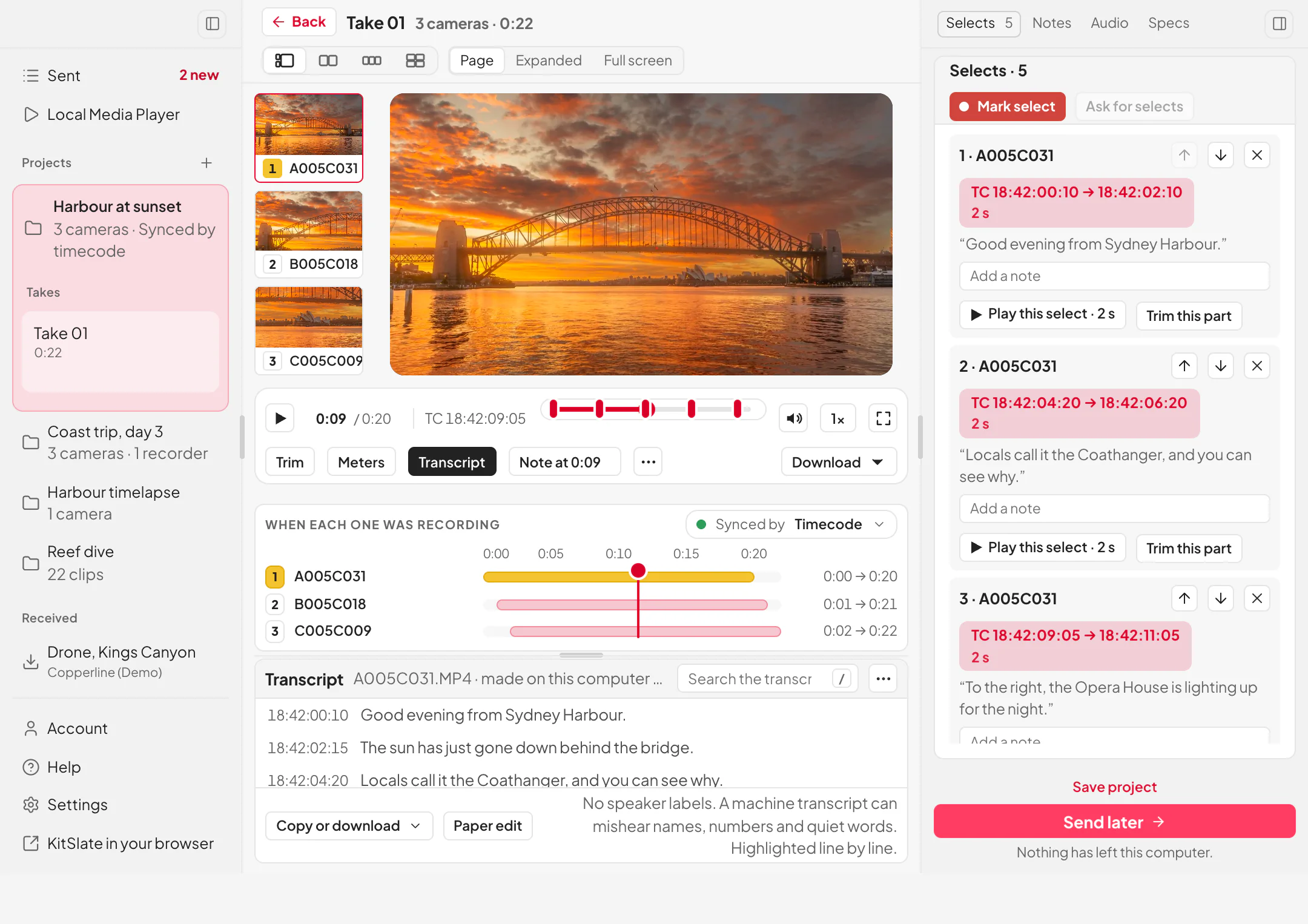
Sync, watch and choose before anything uploads.
Drop a shoot’s files in and the takes line up by timecode, playing from the camera proxies. Mark selects and notes; nothing uploads until you press Send later.
No browser inside. It uses yours.
The app uses your computer’s own browser engine and loads the site, so the installer is small and always current.
What you get online, and what the app adds.
Everything works in a browser. The app adds what a browser can’t do.
| What you get | Browser | KitSlate app |
|---|---|---|
| Making proxies | Uses minutes | Unlimited |
| Send while proxies are being made | No | Yes |
| Link works the second you hit send | Yes | Yes |
| Proxies go first, so clips play now | Yes | Yes |
| Keeps going when your computer sleeps | No | Yes |
| Full speed in the background | Can slow down | Yes |
| Never stops to reload the page | No | Yes |
| Downloads pick up where they left off | Some browsers | Yes |
| Sync and watch footage before upload | No | Yes |
| Making transcripts | Uses minutes | Unlimited |
Why it’s free in the appYour computer does the work. Online, our servers do it, so it uses your plan’s minutes.
Proxies and transcripts made on your computer need a Mac. On Windows the app has them made online, as a browser does.
Before you try it.
Is it faster than the browser?
On most lines, no. It sends by the same route at the same speed, but keeps going when you walk away.
Do I need it?
No. It is for long uploads you don’t want to babysit.
Do the people I send to need it?
No. They only need a browser.
Does the Local Media Player upload anything?
No. It needs an internet connection for now, but nothing is sent until you press Send later.
What do proxies cost in the app?
Nothing, on every plan. Your Mac makes them while the files upload, and each one goes up first, so the clip plays on their page straight away. Online, our servers make them after the upload, which uses your plan’s minutes.
What do transcripts cost in the app?
Nothing, on every plan, as many as you like. Your computer makes them, so no minutes are used. Making them by themselves, and SRT, VTT or TXT files, come with Solo.
How does it update?
Most changes arrive with the live site. The native part updates on the next launch.
How do I get the best speed out of it?
It finds the pace by itself. A cable and a fast drive help most; the manual has more.
Which computers?
Macs with Apple silicon or Intel, and 64-bit Windows. No Linux.
Do I need to know whether my Mac is Intel or Apple silicon?
No. One Mac download carries both.
Drop the files. Close the laptop. It finishes.
Free to install. Sign in with your KitSlate account, or make a free one in a minute.